


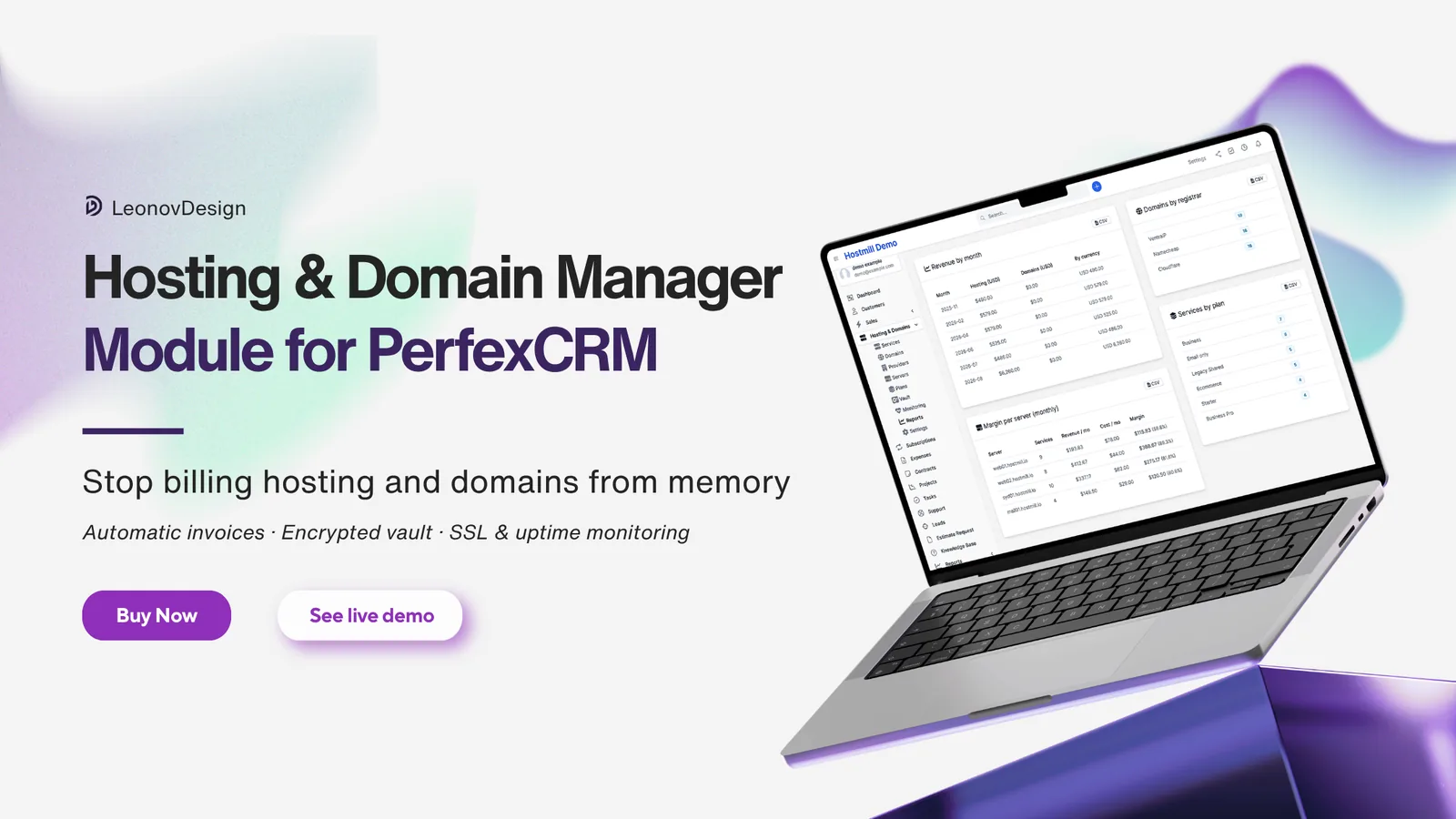
Hosting and Domain Manager for Perfex CRM
Hosting and Domain Manager is a module for Perfex CRM that turns your hosting and domain reselling into a system that runs itself — automatic invoices, renewal reminders, an encrypted credentials vault, WHOIS/SSL/DNS/uptime monitoring, a client-portal tab and margin reports. Built and maintained by Leonov Design.
One-time payment, from A$79. Includes updates and six months of email support. No licence key, no activation server, no telemetry — the module never phones home.
Live demo — try it before you buy
A real Perfex CRM install with the module and a realistic agency portfolio already loaded: around 35 hosting services, 57 domains, 18 months of invoices and live monitoring data. It resets every hour, so break whatever you like.
Demo: perfex-hosting-manager.leonovdesign.com/admin
| Role | Password | |
|---|---|---|
| Admin (full access) | demo@example.com | demo |
| Staff (no Reveal Secrets) | staff@example.com | demo |
| Client portal | client@example.com | demo |
Who it’s for and what it solves
If you resell hosting and domains alongside web design or development work, you know the pattern: the client’s cPanel login lives in a sticky note, the domain renewal date lives in your head, the hosting invoice gets typed by hand every month, and nobody checks the SSL certificate until the client calls in a panic.
Hosting and Domain Manager puts all of it inside the CRM you already open every morning. Here is who it’s built for, and the specific problem it takes off each of their desks.
Freelance web designers and developers
The problem: fifteen clients, some billed monthly, some yearly, all renewing on different dates. Every invoice is typed by hand, some months you forget one entirely, and a domain you paid for out of pocket in March never got billed back.
What changes: invoices are generated ahead of every due date automatically, paid invoices roll the next due date forward on their own, and nothing renews without a reminder going out first. Your billing stops depending on your memory.
Web developers and technical teams
The problem: the SSH key is in a password manager, the database login is in an old email, the registrar account is in someone’s browser, and when a site goes down at 11pm you spend twenty minutes finding credentials before you can even start.
What changes: every credential sits against the server, service, domain or provider it belongs to, encrypted at rest, one click to reveal or copy, with an access log showing who opened what and when.
Web and digital agencies
The problem: dozens of client sites across several servers and two or three registrars. Staff need access to some things and definitely not others. Nobody can answer “is that server actually making us money?” without an afternoon in a spreadsheet.
What changes: granular Perfex permissions plus a separate Reveal Secrets capability, server costs recorded as real expenses, and a margin-per-server report that answers the profitability question in one screen.
Small hosting resellers
The problem: billing lives in one tool, credentials in another, monitoring in a third, and none of them know about each other. A client asks a simple question and you open four tabs to answer it.
What changes: services, domains, plans, servers, providers, invoices, credentials and monitoring all live in one module, attached to the same customer record as everything else in your CRM.
Businesses running Perfex CRM in-house
The problem: you don’t resell anything, but you still own domains, SSL certificates and servers — and the only thing standing between you and an expired domain is a calendar reminder somebody set two years ago.
What changes: every domain, certificate and server renewal date is tracked and monitored, with alerts 60, 30, 14 and 7 days out. Server costs land in your expense reports automatically.
What the module does
Import and export — start with your existing book
Nobody types in two hundred domains. Services and domains both import from CSV and export back out to it, using the same column layout in each direction — a file you export is already a valid file to re-import. Downloadable example files give you a correctly shaped starting point for each.
Every import runs upload → preview → commit. The preview shows exactly what will be created, what will be updated and which rows can’t be matched and why — and nothing is written until you confirm. Each commit gets a batch id you can undo, as long as the records it created haven’t been invoiced since. Skip duplicates makes re-running the same file a no-op; Update duplicates refreshes what’s already there, and an empty cell never blanks a value you have already stored.
Export earns its place for a second reason: it is how you leave. Your whole book — services, domains, prices, renewal dates, registrars — comes back out as CSV whenever you want it, which doubles as a backup you can actually read. The vault is the one deliberate exception: credential metadata exports, a decrypted secret never does.
One thing to know before importing a historical portfolio: an imported record is a live record. If its renewal date already falls inside your invoicing lead window, the very next cron run will invoice it — so check your lead-time and draft/auto-send settings first.

Automatic billing
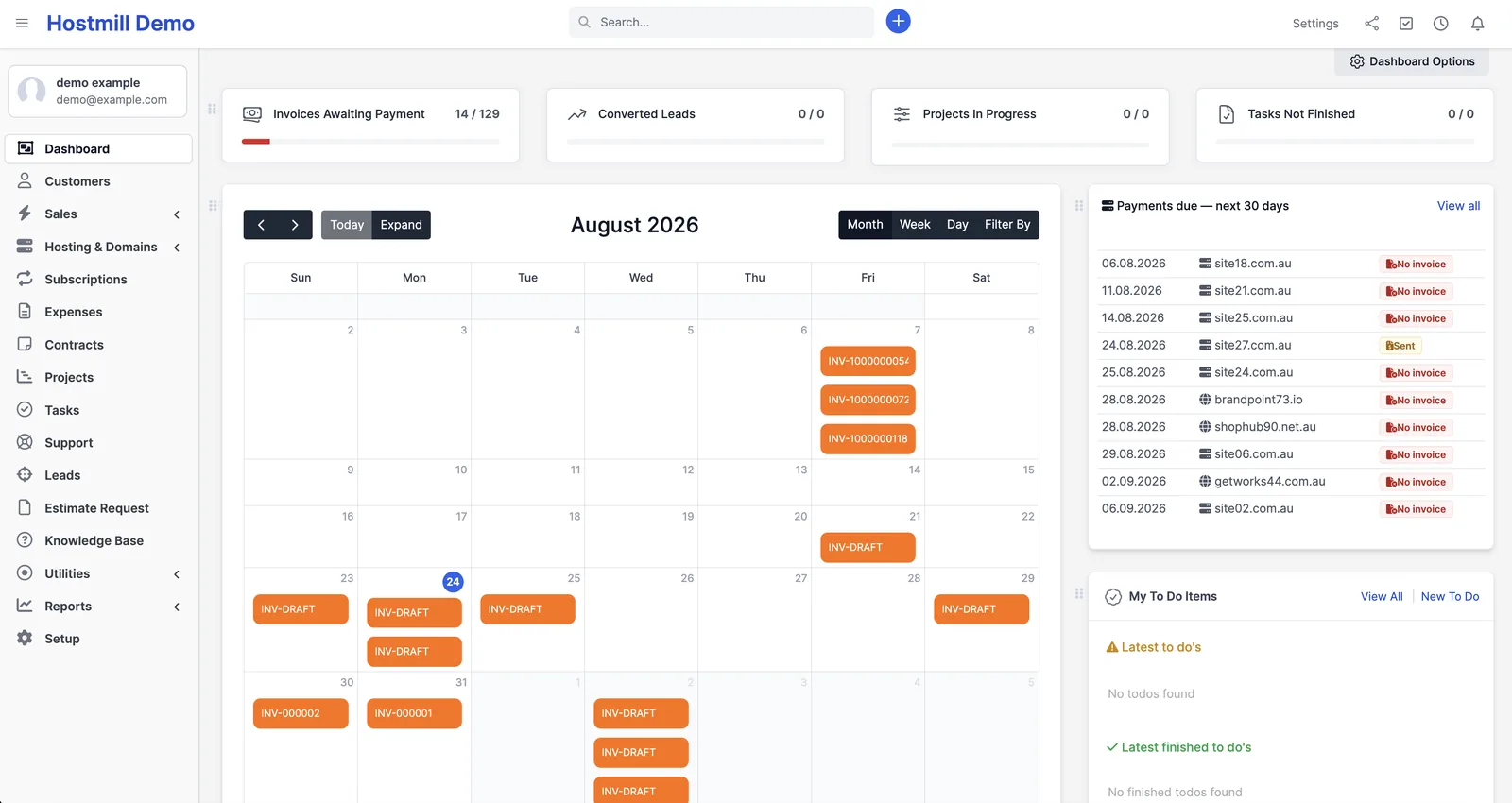
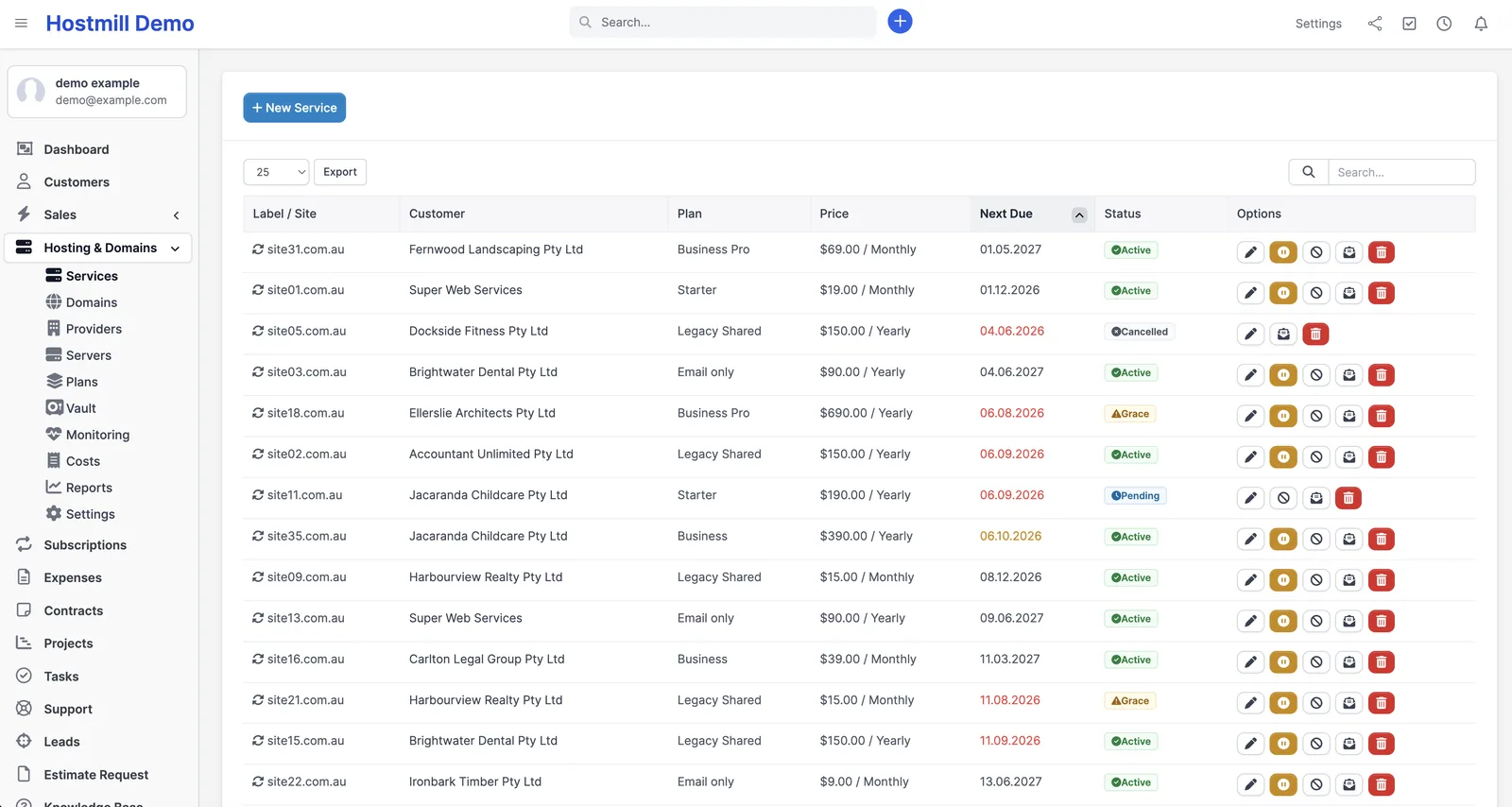
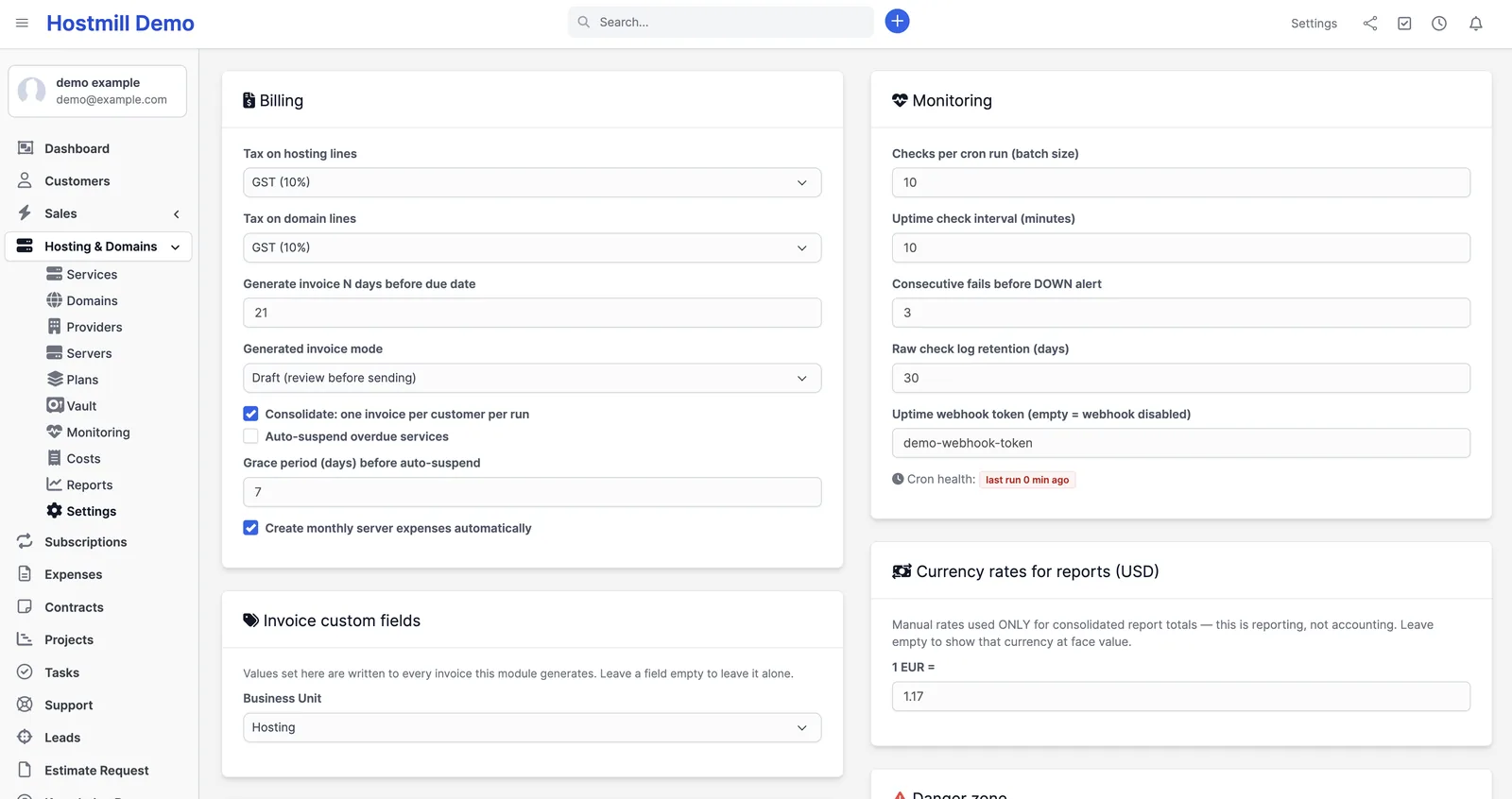
Generates real Perfex invoices for hosting services and domain renewals ahead of each due date (21 days by default, configurable). Draft-first by default, so nothing goes out without your eyes on it — or switch to create-and-send automatically. Multiple items due for the same customer in one run can be consolidated onto a single invoice. Domains can bill on their own yearly schedule or ride along on the service invoice in the period their expiry actually falls.
When an invoice is paid in full, the service’s next due date advances by one billing cycle and its status moves to Active; a domain’s expiry advances by a year. Services follow a clear lifecycle: pending → active → grace → suspended → cancelled, with optional auto-suspend after a grace period (off by default).
Renewal reminders that actually go out
- Upcoming — 21, 7 and 1 day before due (default ladder).
- Bundled with a domain — 60, 30, 14, 7 days, because a domain renewal deserves more lead time.
- Overdue — 3, 7 and 14 days after the due date.
- Domain expiry safety net — 60, 30, 14, 7 days before expiry, independent of invoice state, so a domain never silently lapses.
Every ladder is configurable. Four editable email templates are installed into Perfex on activation. There’s also an optional daily 30-day digest to your admins and optional Telegram alerts.
Encrypted credentials vault
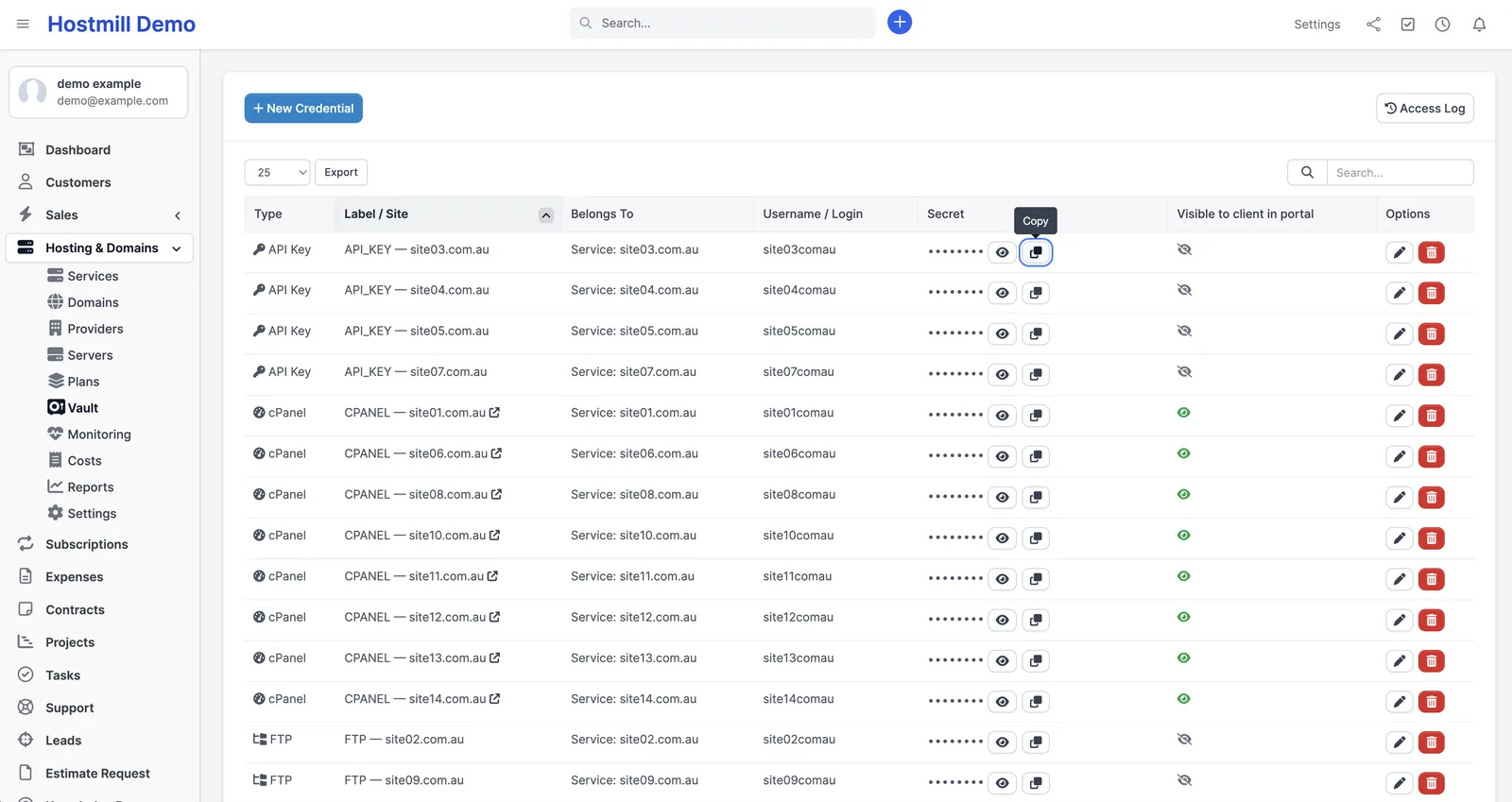
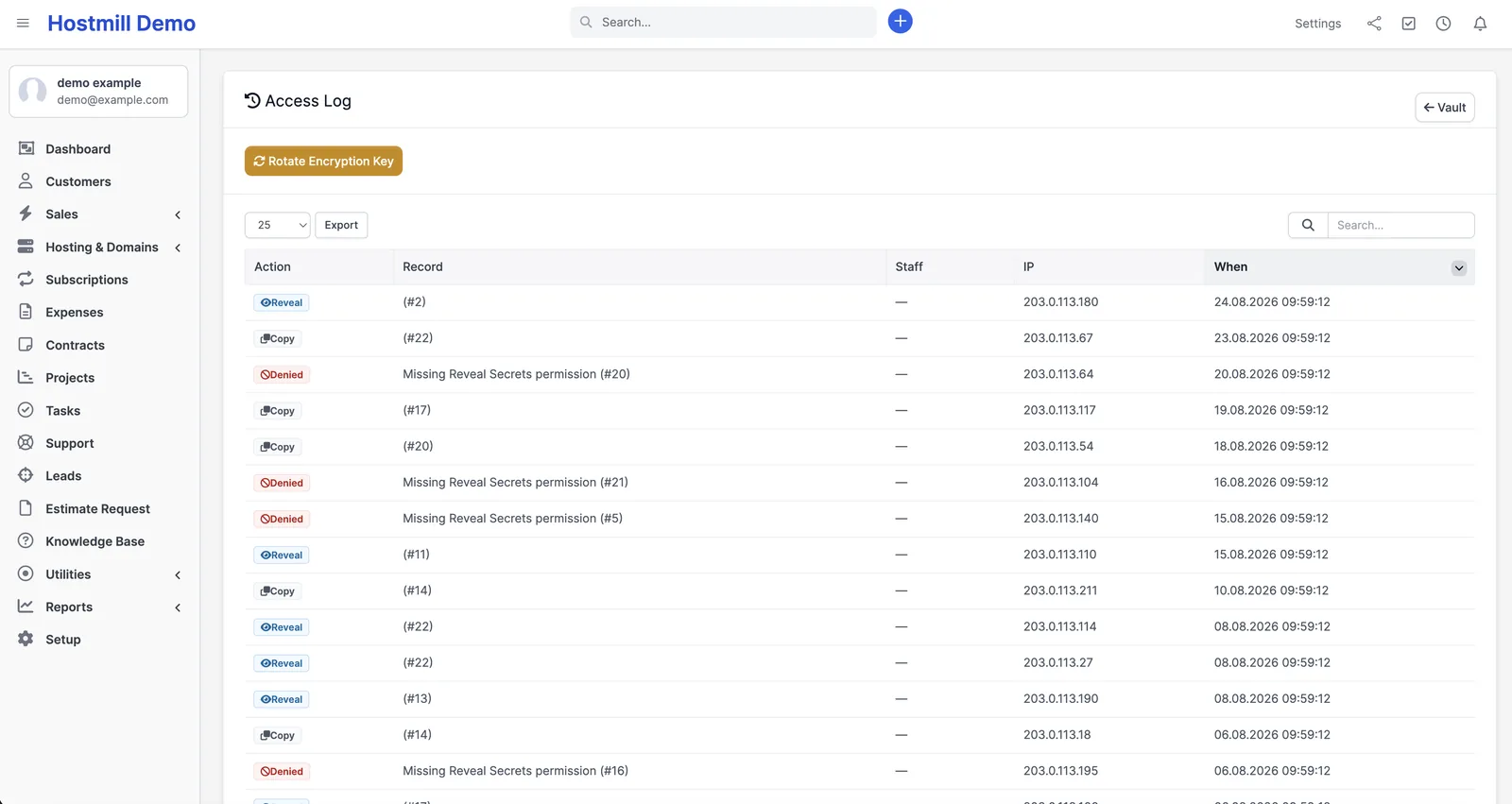
cPanel, Plesk, SSH, FTP, database, API and registrar logins, encrypted with AES-256-GCM before they touch the database. Secrets are write-only on edit, masked in the list, and revealed only on demand — shown in place for 30 seconds, or copied straight to the clipboard without ever appearing on screen. Reveals require HTTPS, a dedicated Reveal Secrets permission, and are rate-limited (20 per user per 5 minutes by default). Every reveal, copy, denied attempt and key rotation is written to an access log with user, IP and timestamp.
Monitoring
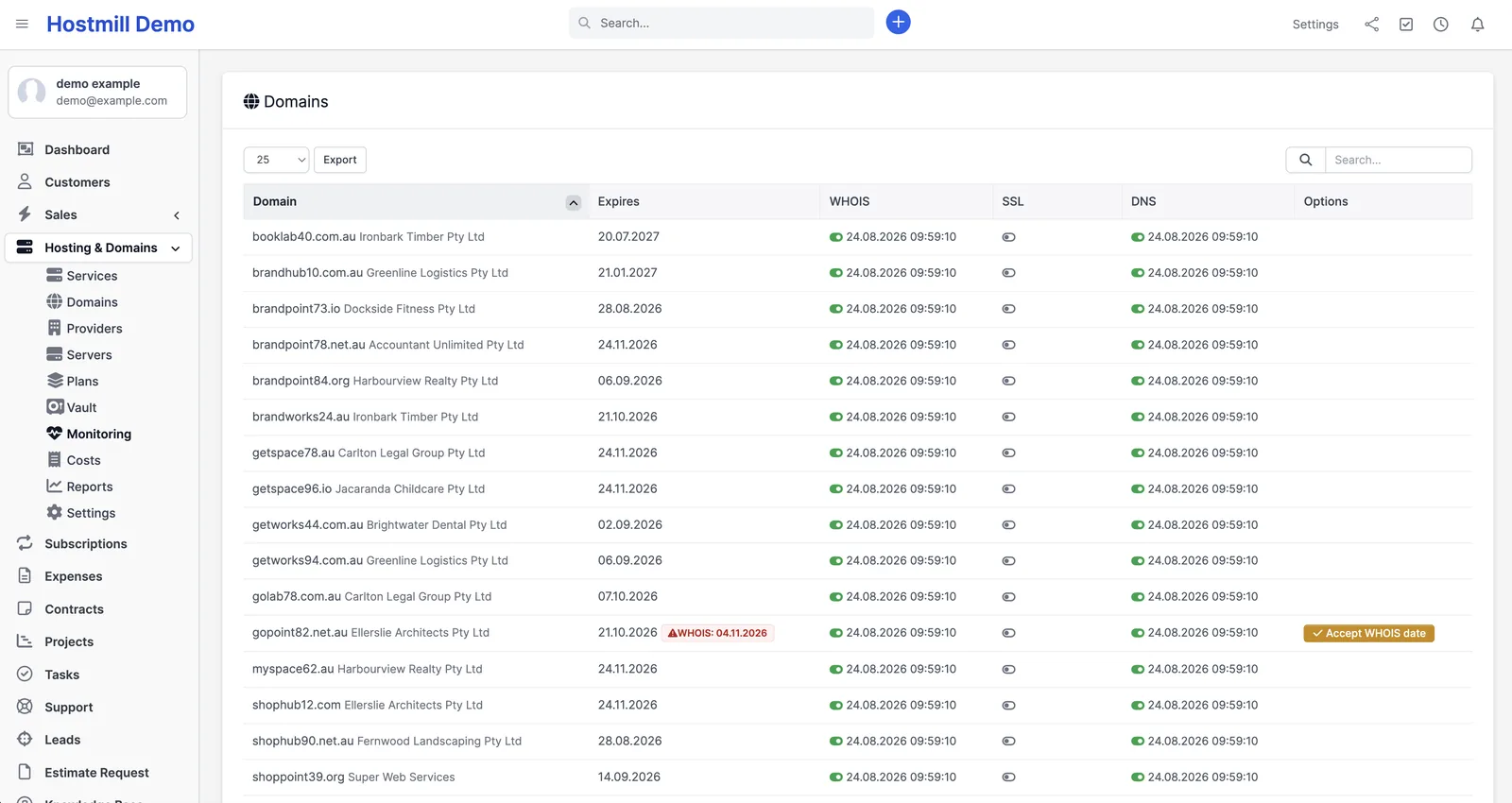
- WHOIS/RDAP expiry tracking, with a one-click “Accept WHOIS date” fix when the registry disagrees with your record.
- SSL certificate expiry, alerting 14, 7 and 1 day out.
- DNS change detection — alerts only when nameserver or TXT records actually change, not on reordering.
- Uptime — polling with an optional expected keyword, or push status in from Uptime Kuma (or any compatible monitor) via a token-protected webhook. One alert per outage episode, not per failed check.
Client portal tab
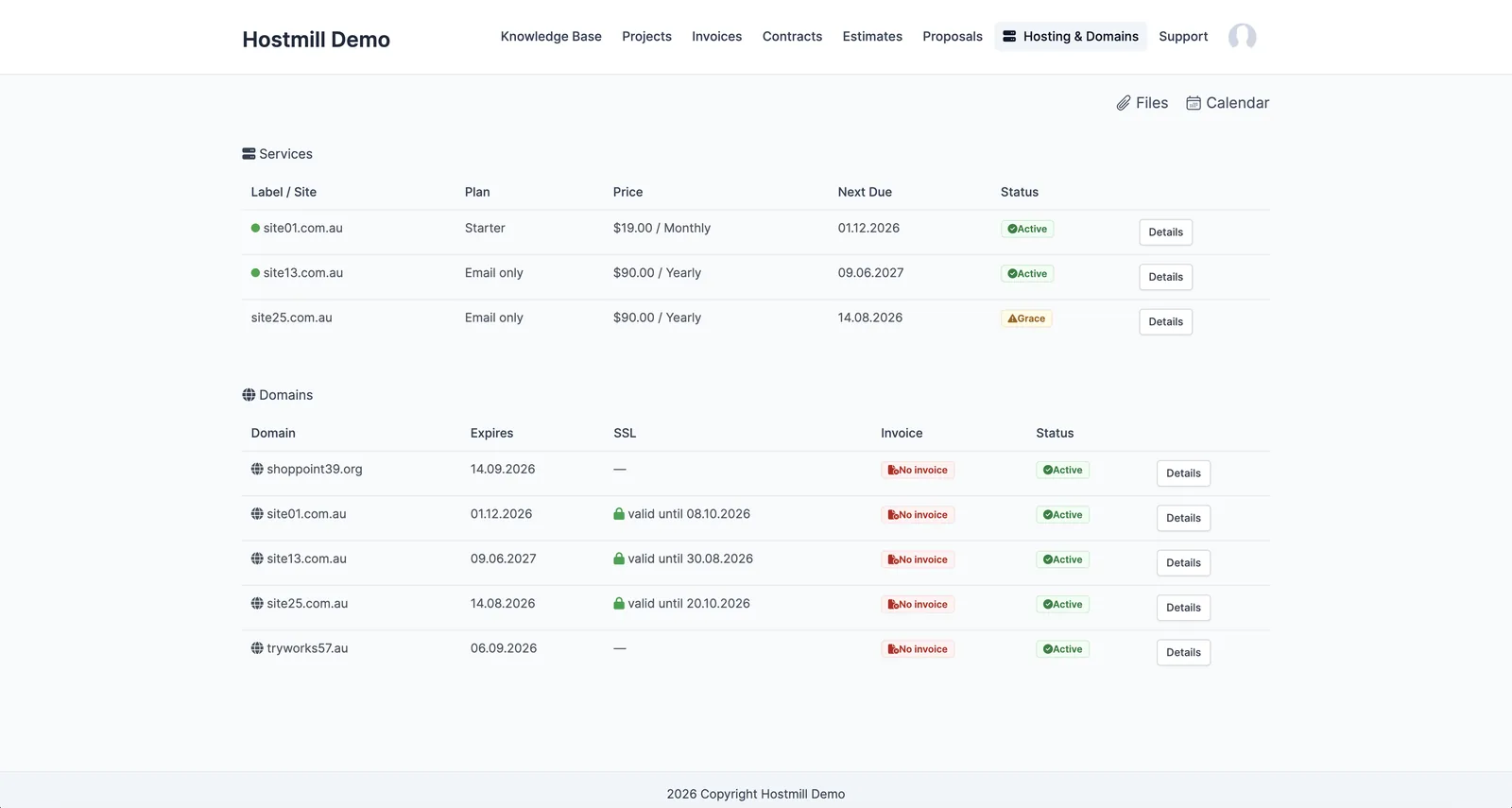
Your customers get a Hosting & Domains tab in the Perfex client portal: their services with live uptime status, their domains with expiry and SSL dates, plan features, linked invoices with pay links, a 30-day uptime strip, and — only if you flag a credential as client-visible — the same reveal/copy behaviour, logged the same way. Your cost, margin and server data never appear there.
Clients can request Renew early, Change plan and Request cancellation — each one creates a normal Perfex support ticket. Nothing changes until you act on it. No self-service surprises.
Reports and margin
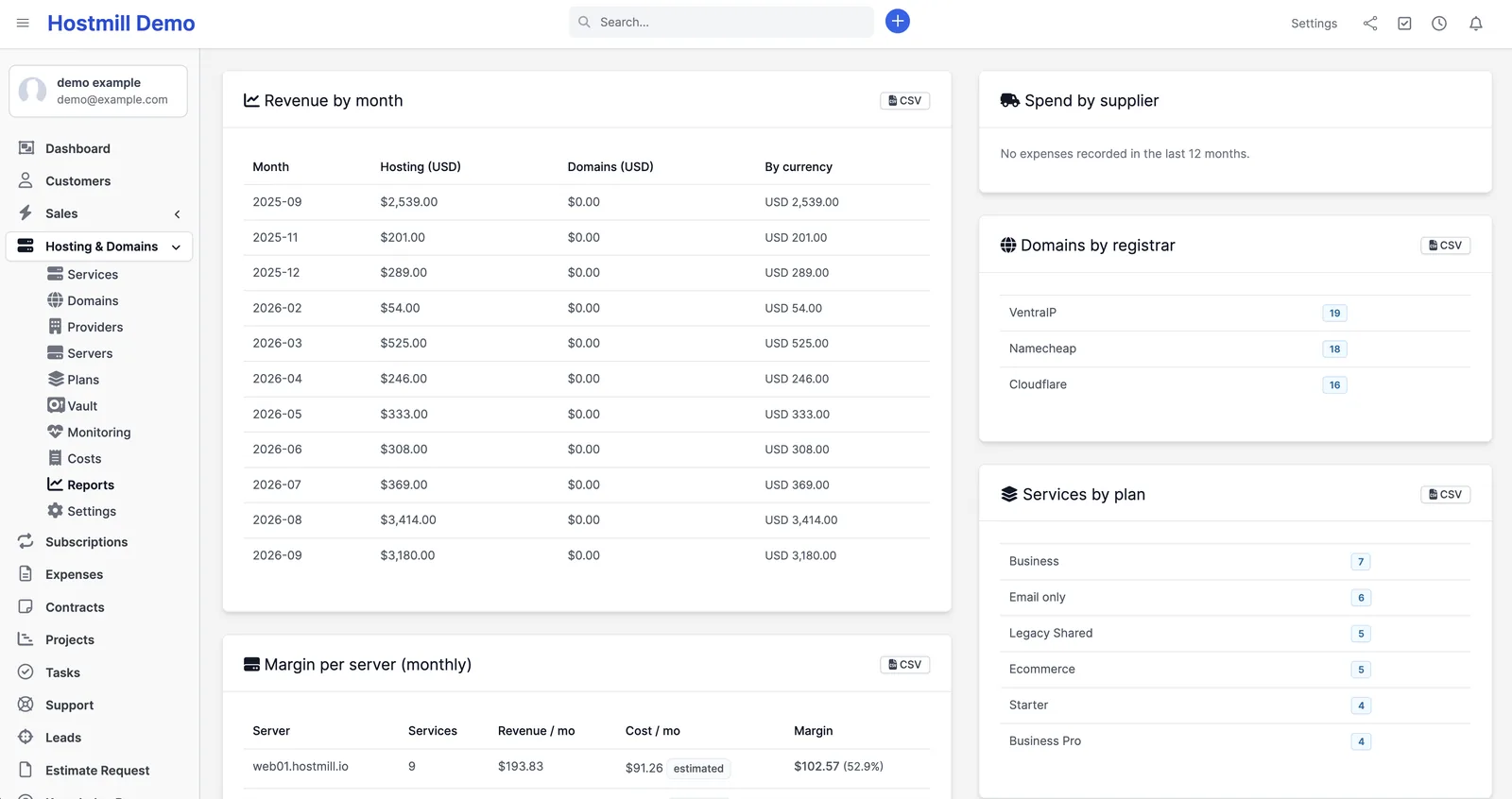
Revenue by month (hosting vs domains), margin per server, domains by registrar, services by plan — each with a CSV export. Server costs can be recorded automatically as monthly Perfex expenses in a “Hosting” category, so the margin figure is based on real numbers rather than guesswork. A dashboard widget shows payments due in the next 30 days.
Use cases: six real scenarios
1. Monthly hosting plus a yearly domain, on one customer
A client pays $25/month for hosting and $30/year for their domain. You create the service (plan, server, monthly cycle) and the domain (registrar, expiry, sell price) once. From then on the module issues a hosting invoice 21 days before each monthly due date and a separate domain invoice 21 days before the yearly expiry, each on its own reminder ladder. Two predictable charges, zero manual invoicing. Prefer one combined invoice? Turn on “bill together with service” and the domain line joins the hosting invoice only in the period its expiry falls — automatically switching to the longer 60/30/14/7-day reminder ladder.
2. A client goes quiet and stops paying
The invoice goes unpaid past its due date. The module sends overdue reminders at 3, 7 and 14 days, and moves the service into Grace — still fully working, but flagged on your dashboard under “Overdue (grace / suspended)”. If you’ve enabled auto-suspend, it moves to Suspended after the grace period; most agencies leave that off and chase manually. Either way you find out from a dashboard, not from a client complaining that their site vanished.
3. A domain is about to lapse — silently
The classic disaster: an expiry date nobody owns. The module runs a standalone domain-expiry ladder at 60, 30, 14 and 7 days before expiry, completely independent of whether an invoice exists or was paid. It also checks WHOIS/RDAP against your own record and flags a mismatch, so a domain that was quietly renewed (or quietly wasn’t) can’t hide in your database.
4. Onboarding a staff member without handing over the keys
A new developer needs to work on three client sites but shouldn’t see every root password you own. Give them the module’s View and Edit permissions and withhold Reveal Secrets — they see services, domains and monitoring but never a plaintext credential. Grant the capability later and every reveal is logged with their name, IP and timestamp, rate-limited to 20 per five minutes so a compromised session can’t bulk-harvest the vault.
5. Deciding whether a server is worth keeping
You pay EUR 15/month for a box hosting eight clients at various prices and cycles. The margin-per-server report converts every service to a monthly equivalent in your base currency, subtracts the server’s own cost (recorded automatically as a Perfex expense each month) and shows margin in dollars and percent. That’s the number you need before adding a ninth client or spinning up a second server — and it exports to CSV for your accountant.
6. A client asks “what am I actually paying for?”
Instead of writing the same email again, point them at the client portal. They see their hosting plan and its features, uptime for the last 30 days, their domain’s expiry and SSL status, every related invoice with a pay link, and buttons to request an early renewal, a plan change or a cancellation — each of which lands in your ticket queue rather than changing anything by itself.
Price and licence
One payment, no subscription. No per-client fees and no usage limits inside your CRM — add as many services, domains, servers and customers as you like.
Latest release: Hosting & Domain Manager 1.5.6 — CSV import, 12-month revenue forecast and multi-year domains. Free update for every licence.
| Licence | Price | Covers |
|---|---|---|
| Single | A$79 one-time | One Perfex CRM installation (one domain) |
| Agency | A$229 one-time | Unlimited installations, including your clients’ own CRMs |
Both licences include every feature — nothing is held back for a higher tier — plus updates and six months of email support for installation questions, configuration and bug reports.
There is no licence key, no activation server and no telemetry. The module never contacts us — for something holding your clients’ cPanel and SSH credentials, that’s the only sensible way to build it.
Requirements
| Perfex CRM | 3.x (module declares: requires at least 3.1) |
| PHP | 8.1 or newer |
| HTTPS | Required to reveal vault secrets |
| Cron | Native Perfex cron running, ideally every 5 minutes |
Installation in three steps
- In Perfex, go to Setup → Modules and upload the module ZIP you received after purchase.
- Click Activate next to “Hosting & Domains Manager”. The installer creates its tables, four email templates, the sidebar menu, the customer tab, the dashboard widget and the permission set.
- Confirm your Perfex cron is running, then set up Providers → Servers → Plans → Services → Domains. The manual walks the whole thing end to end in about 15 minutes.
One thing to read before you store your first credential: the module writes an encryption key file one level above your web root and locks it to 600. Back that file up separately from your database backups — without it, stored secrets cannot be recovered. On locked-down or containerised hosting, define the HOSTING_MANAGER_VAULT_KEY constant instead.
Frequently asked questions
What is Hosting and Domain Manager?
It’s an add-on module for Perfex CRM that manages the hosting and domain side of your business inside the CRM itself. It stores your providers, servers, plans, hosting services and domains against your existing customers, generates and chases the invoices for them, keeps the related logins in an encrypted vault, monitors WHOIS, SSL, DNS and uptime, gives your clients a read-only portal tab, and reports on revenue and margin per server. You install it once, connect nothing, and it runs off the native Perfex cron.
How much does it cost and what’s included?
One payment through Gumroad: A$79 for a single Perfex CRM installation, or A$229 for an agency licence covering unlimited installations, including your clients’ own CRMs. Both include every feature, updates and six months of email support. No recurring fees, and no limit on how many clients, services or domains you manage.
Which Perfex CRM and PHP versions are supported?
Perfex CRM 3.x (the module declares it requires at least 3.1) and PHP 8.1 or newer. HTTPS is required to reveal vault secrets, and the native Perfex cron must be running for billing, reminders and monitoring to work.
No invoice was generated — what should I check?
In order: the service status must be Pending or Active (Grace, Suspended and Cancelled never re-bill); Billing Mode must be Recurring Invoice, not Stripe Subscription; the next due date must fall inside the lead window set in Settings; and the Perfex cron must actually be running — the module shows cron health under Settings → Monitoring.
How secure are the stored passwords?
Secrets and private keys are encrypted with AES-256-GCM before they reach the database, using a key stored outside the web root. Revealing requires HTTPS and a separate Reveal Secrets permission, is rate-limited, and is logged with user, IP and timestamp. Revealed values never appear in the page source.
What happens to my data if I uninstall the module?
Your data is kept by default. Uninstalling removes only the module’s email templates and settings; all module tables stay untouched unless you deliberately enable the “delete all module tables on uninstall” option first.
Can my clients change or cancel services themselves?
No. The portal is read-only by design. Renew early, change plan and cancellation requests all become normal Perfex support tickets — nothing changes until you act on the ticket.
Need help with your Perfex CRM setup?
We build and customise web systems for small businesses and agencies — CRM setup, custom modules, websites and automation. See our pricing or get in touch if you’d like a hand installing or extending this module.